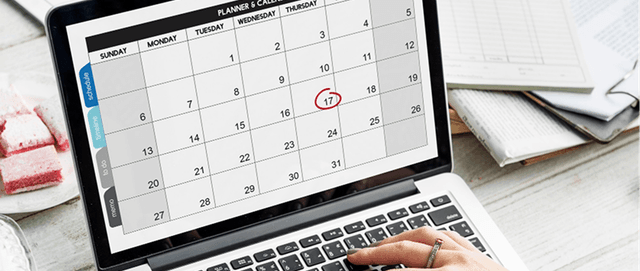
The Ambisius Appointment Management template — your full daily schedule, ready the moment you open the app.
Your Booking System Shouldn't Be a WhatsApp Thread
Two customers. Same slot. Both show up at 2pm.
It happens when you manage bookings on WhatsApp or a paper notebook — tools that were never built to run a schedule. No conflict checks. No overview. No record of what happened last month.
WhatsApp and paper notebooks have no conflict detection. A double-booking doesn't announce itself — it just shows up at your door.

Managing bookings on WhatsApp (left) versus a proper booking app (right) — the difference is immediate.
-
No conflict detectionNothing stops two customers from being booked into the same slot at the same time.
-
No automatic end timesEvery appointment duration has to be calculated manually — and gaps or overlaps are easy to miss.
-
No daily schedule viewThere's no single place to see what's happening today — you're scrolling through messages to piece it together.
-
Prices drift over timeWhen service prices change, old records become unreliable — you lose track of what was actually charged.
-
No history or analyticsThere's no way to see which services are most popular or when your busiest periods are.
Built for Any Business That Takes Appointments
If your day runs on bookings, this template was made for you.
Here's What Happens When You Use It
No complicated setup. No manual calculations. Here's the experience from the moment a booking is made.
-
1Staff picks a customer and serviceThe customer and service are selected from existing records — no free typing, no typos, no mismatched names.
-
2End time fills in automaticallyEnter the start time — the app calculates the end time based on the service duration. A 60-minute facial starting at 2:00 PM ends at 3:00 PM. Done.
-
3Conflicting slots are blockedIf another booking already exists in that time window, the app stops the save. No double-bookings slip through — ever.
-
4Price is locked in at booking timeThe service price is captured the moment the booking is saved. If you update your price list later, existing bookings stay accurate.
-
5Your schedule is ready the moment you open the appThe dashboard shows today's booking count and full schedule — sorted by start time, no filtering needed.

Select a customer and service — the end time calculates itself based on service duration.

When a time slot is already taken, the app blocks the save automatically — no double-bookings slip through.
The Features That Do the Heavy Lifting
Four smart features that eliminate the most common booking mistakes.
Auto end time in action — enter the start time, and the app does the rest.

Double-booking prevention — the app checks for conflicts before every save.

The price snapshot — captured at booking time, never overwritten by future changes.
3 Simple Tables — All Pre-Configured
You don't need to build anything. The template comes with three tables, all connected and ready to use.
Services
What you offer — name, duration, and price. Every booking pulls from this list.
| Field | What It Stores |
|---|---|
| Name | Service name (e.g. Haircut, Deep Tissue Massage) |
| Duration | Length in minutes (e.g. 30, 60, 90) |
| Price | Standard price for the service |
The Services table — add your offerings once, and every booking references them automatically.
Customers
A simple contact record for every client — name and phone number, ready to link to any booking.
| Field | What It Stores |
|---|---|
| Name | Customer's full name |
| Phone | Contact number |
Bookings
The core of the app. Links a customer to a service, on a specific date and time — everything else fills in automatically.
| Field | What It Stores |
|---|---|
| Customer | Linked from Customers table |
| Service | Linked from Services table |
| Date | Appointment date |
| Start Time | When the appointment begins |
| End Time | Auto-calculated from start time + service duration |
| Price | Captured at booking time — not affected by future changes |

The Bookings table — customer, service, times, and price all in one connected record.
See Everything at a Glance
The dashboard and analytics pages give you a complete picture — today and over time.
Dashboard — Your Daily Overview
The moment you open the app, you see your full day — no digging, no filtering, just open and go.

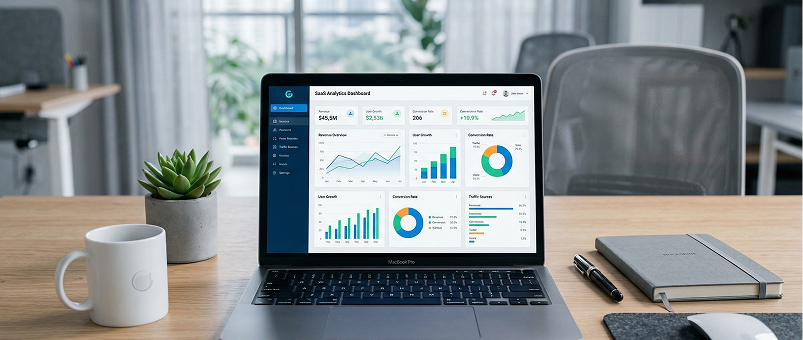
The dashboard — today's booking count at the top, full schedule sorted by start time below.
No filtering needed. The dashboard always shows today's data automatically — open the app and your day is already laid out.
Analytics — Understand Your Business Over Time
The analytics page helps you spot patterns and make better decisions. Filter by date range or service to zoom in on what matters.
| Chart | What It Shows |
|---|---|
| 📈 Bookings Over Time | Daily booking volume — spot your busy periods |
| 📊 Bookings by Service | Which services are most popular |
The analytics page — spot your busiest days and most popular services at a glance.
Ready in Minutes — No Setup Required
Getting started is as simple as picking the template and using it.
Find the Appointment Management template in the catalogue — one tap to duplicate it into your account.
When you duplicate the template, everything comes with it — tables, rules, dashboard, and analytics. You only need to add your own services and customers.
Want to Tweak It? Just Ask
The app is ready to use as-is — but if you need something extra, just describe it in the chat and the AI makes the change for you.
| What to Ask For | What It Does |
|---|---|
| "Add a notes field to bookings" | Capture special requests or instructions per appointment |
| "Add a status field — Confirmed, Cancelled, Completed" | Track where each booking stands at a glance |
| "Add a staff field to bookings" | Assign appointments to specific team members |

Just describe what you need in the chat — the AI updates the app for you, no coding required.
Frequently Asked Questions
-
Can I use this template for free?Yes. The Appointment Management template is free to activate. You can explore and chat with the AI at no cost — credits are only used when you confirm changes to the app.
-
What happens if two bookings overlap?The app blocks it automatically. Before any booking is saved, the system checks for conflicts on the same date and time. If there's an overlap, the booking won't go through.
-
Can I change my service prices without affecting old bookings?Yes. The price is captured at the moment each booking is created. Updating your price list later has no effect on existing records.
-
Can my staff use this app too?Yes. You can invite team members and control exactly what each person can see and do — per section, per action. A receptionist can add bookings without being able to edit your service prices or view analytics.
-
Can I add more services or customers later?Absolutely. Just add new rows to the Services or Customers table anytime. New entries are immediately available when creating bookings.
-
Does this work on mobile?Yes. Ambisius works on iOS, Android, tablet, and any desktop browser. The same app works seamlessly across all devices.
Your Booking System, Sorted
Double-bookings, missed appointments, and WhatsApp chaos are problems you don't need to have. The Ambisius Appointment Management template gives you a proper booking system — one that calculates end times for you, blocks conflicting slots automatically, and keeps your daily schedule organised and ready.
It's free. It's ready in minutes. And it works on every device your team uses.